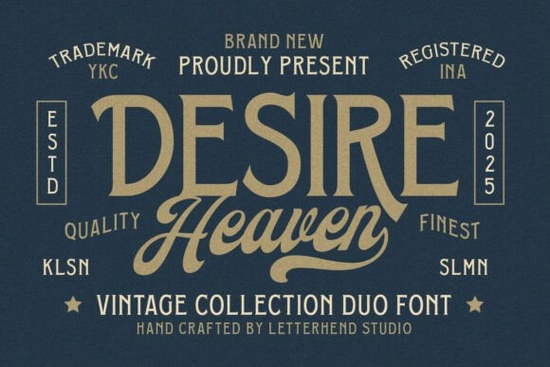
If you're working on a branding project that needs both authority and elegance, the Desire Heaven Font offers a smart pairing that feels instantly classic. This vintage-inspired duo includes a bold serif for strong headlines and a graceful script for refined accents making it especially useful for logos, packaging, or signage that wants to echo mid-20th century American design without looking dated.
What makes this font stand out isn’t just its style, but how well the two typefaces work together. The serif carries weight and clarity, while the script adds personality without overwhelming. For small businesses, crafters, or print-on-demand sellers, that balance can be hard to find in free fonts but here, it’s built in.
When should you use a serif-and-script font combo like Desire Heaven?
This kind of pairing shines when you need contrast: think boutique product labels, wedding stationery with a retro twist, or café menus that want to feel both timeless and inviting. The key is using each style intentionally:
- Serif: ideal for business names, headlines, or any text that needs to command attention at a glance.
- Script: best for taglines, short quotes, or decorative elements where fluidity adds charm.
Because both fonts share the same design DNA similar x-heights, consistent stroke weights, and era-appropriate details they create visual harmony instead of clashing. That saves you time tweaking spacing or alignment, which matters if you’re designing for Etsy shops, local brands, or client work with tight deadlines.
Is this font good for commercial projects?
Yes. When you get the Desire Heaven Font through Creative Fabrica, you receive a commercial-use license, so you can safely use it for client logos, merchandise, or digital products you plan to sell. Just make sure you’ve downloaded the latest version from your account to confirm licensing terms are included in the file package.
For crafters making vinyl decals or sublimation prints, that license means peace of mind. And for designers building brand identities, it removes the risk of having to swap fonts later if a client decides to scale up production.
How does it compare to other vintage fonts?
Many retro fonts lean too far into “old-timey” quirks exaggerated serifs, inconsistent letterforms, or scripts that are hard to read at small sizes. Desire Heaven avoids those pitfalls by focusing on clean structure and legibility, even in its most decorative moments.
The serif draws subtle inspiration from display typefaces used in 1940s–60s advertising, while the script echoes the confident penmanship seen on whiskey bottles or luxury perfume labels of the same era. It’s not a literal replica, but a thoughtfully modernized interpretation so it works well in both print and digital formats.
If you're exploring similar options, you might also browse other serif fonts with vintage character to see how they stack up in tone and versatility.
What file formats are included?
The download typically comes with OTF and TTF files for both the serif and script styles, which means compatibility across major design tools like Adobe Illustrator, Canva (via upload), Silhouette Studio, and Cricut Design Space. Some bundles may also include web font versions (WOFF), but always check the product page for specifics.
Having multiple formats ensures you’re covered whether you’re designing a logo in vector software or cutting vinyl lettering for handmade signs.
And if you’d like to see the original listing, you can view the full details for Desire Heaven Font on Creative Fabrica.
Quick tips before you start designing
- Don’t overuse the script. One or two words in the flowing style often have more impact than full sentences.
- Test readability at small sizes. While the serif holds up well, the script is best reserved for larger applications.
- Pair with neutral sans-serifs if you need a third font think Helvetica, Futura, or even system fonts like Arial for body text.
Before committing to a full brand rollout, mock up your design in context: print a label, preview a social media banner, or test how it looks on a tote bag. Real-world testing catches issues that screen previews miss.
Next step: Download the Desire Heaven Font, install both styles, and try them side by side in a simple layout a business card or product tag works great. See how the contrast feels, then adjust spacing or sizing until the hierarchy feels natural. That hands-on test will tell you faster than any description whether it’s the right fit for your project.
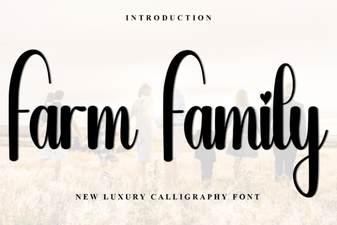 Family Fonts for Farm & Agriculture Projects
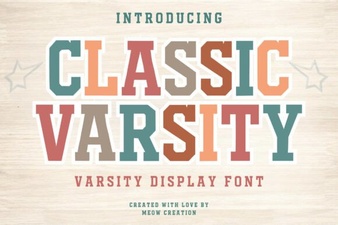 Craft Your Design with the Classic Varsity Font
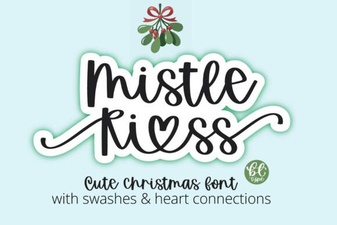 Mistle Kiss Font for Creative Holiday Projects
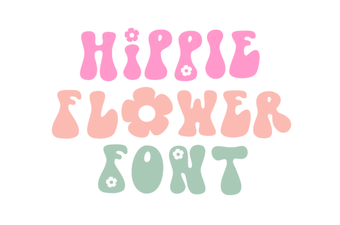 Hippie Flower Fonts for Retro Crafting Projects
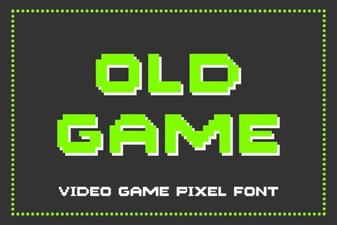 Legacy Game Fonts for Modern Projects
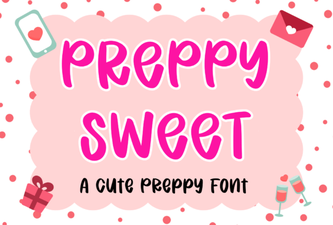 Charming Preppy Fonts for Creative Projects